This feature is available for the following products:

**Important Note**
Microsoft Publisher reaches "End of Life" on October 13, 2026. After this date, it will be removed from Microsoft 365, and desktop versions will no longer receive security updates.
Q: I am printing Publisher scoreboards and would like the players organized by flight. How can I do this?
A: You can do this by creating a separate Publisher file for each flight or division. Follow the steps below:
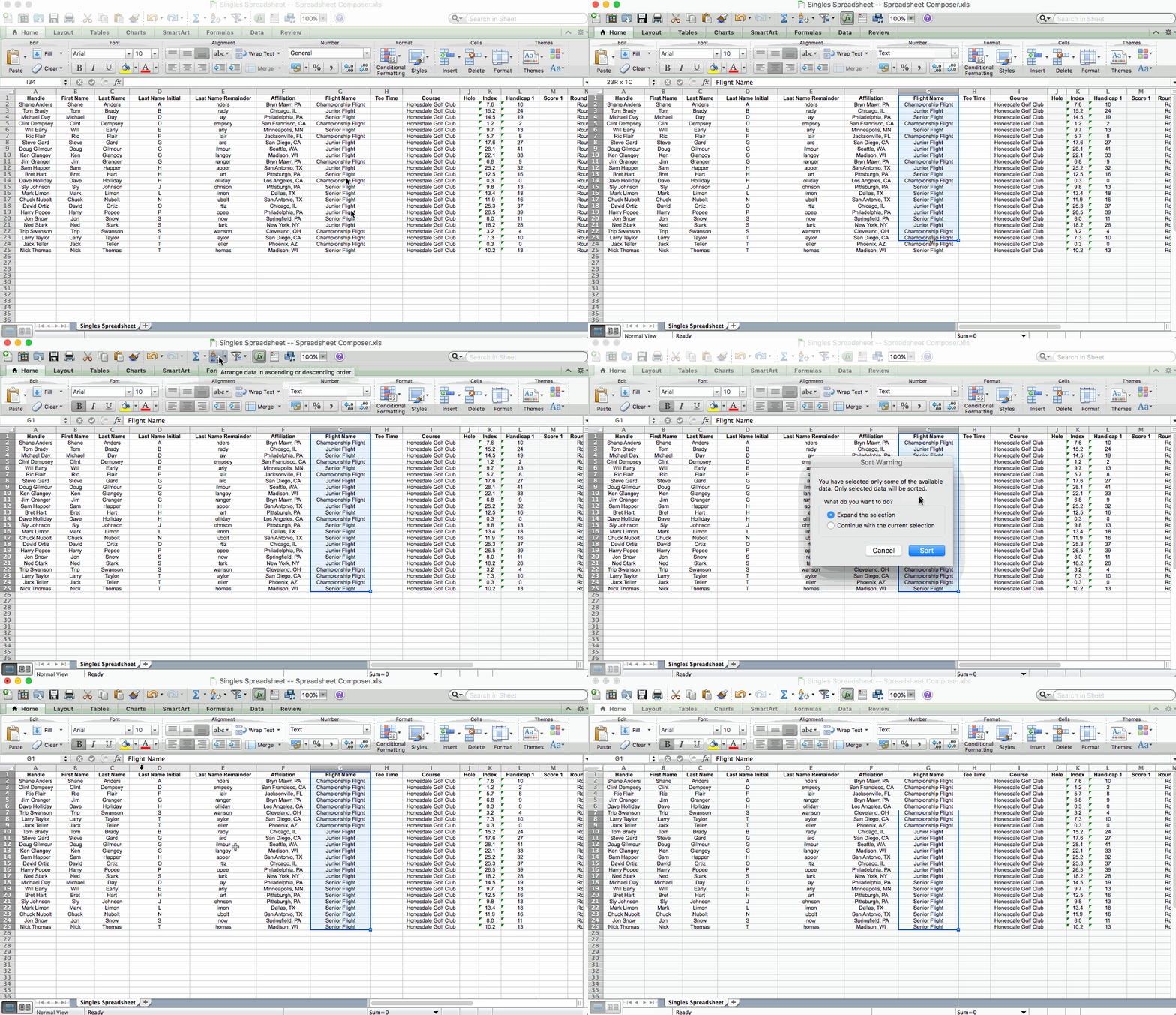
Open the spreadsheet and sort by division/flight as seen below. Save the spreadsheet.

Link the data source in Publisher.
Go to Catalog > Edit List. Open the window, select the players in the first division/flight that you'd like to print for. Merge to new.
Save and name the new Publisher document (e.g., Senior Flight, Women's Division).
Repeat steps 3 and 4 for the remaining flights/divisions.