
This feature is available for the following products:

**Important Note**
Microsoft Publisher reaches "End of Life" on October 13, 2026. After this date, it will be removed from Microsoft 365, and desktop versions will no longer receive security updates.
Having nice-looking printed scoreboards for an event such as a member-guest or club championship is imperative to creating that "wow" factor for many customers. We have provided Publisher templates that we designed that you can merge with the exported scoreboard Excel file.
There are a few different methods of printing large-format scoreboards. For an overview of all the methods, Click Here.
In this article, we will discuss how to download scoreboards using the Publisher templates.
Downloading Microsoft Publisher Scoreboards
The following are step-by-step instructions for downloading Microsoft Publisher Scoreboards.
Go to Rounds > Report Center > New Document > New Publisher Scoreboard. Select the folder to browse different template types. Select the Report Center category and tournament that will be used to populate the information on the scoreboard. Download the spreadsheet and Publisher file as shown below.

Open the spreadsheet. Once the file opens, click "Enable Editing", and save the file over the original. You must save this file with editing enabled to merge the data into Publisher as shown below.

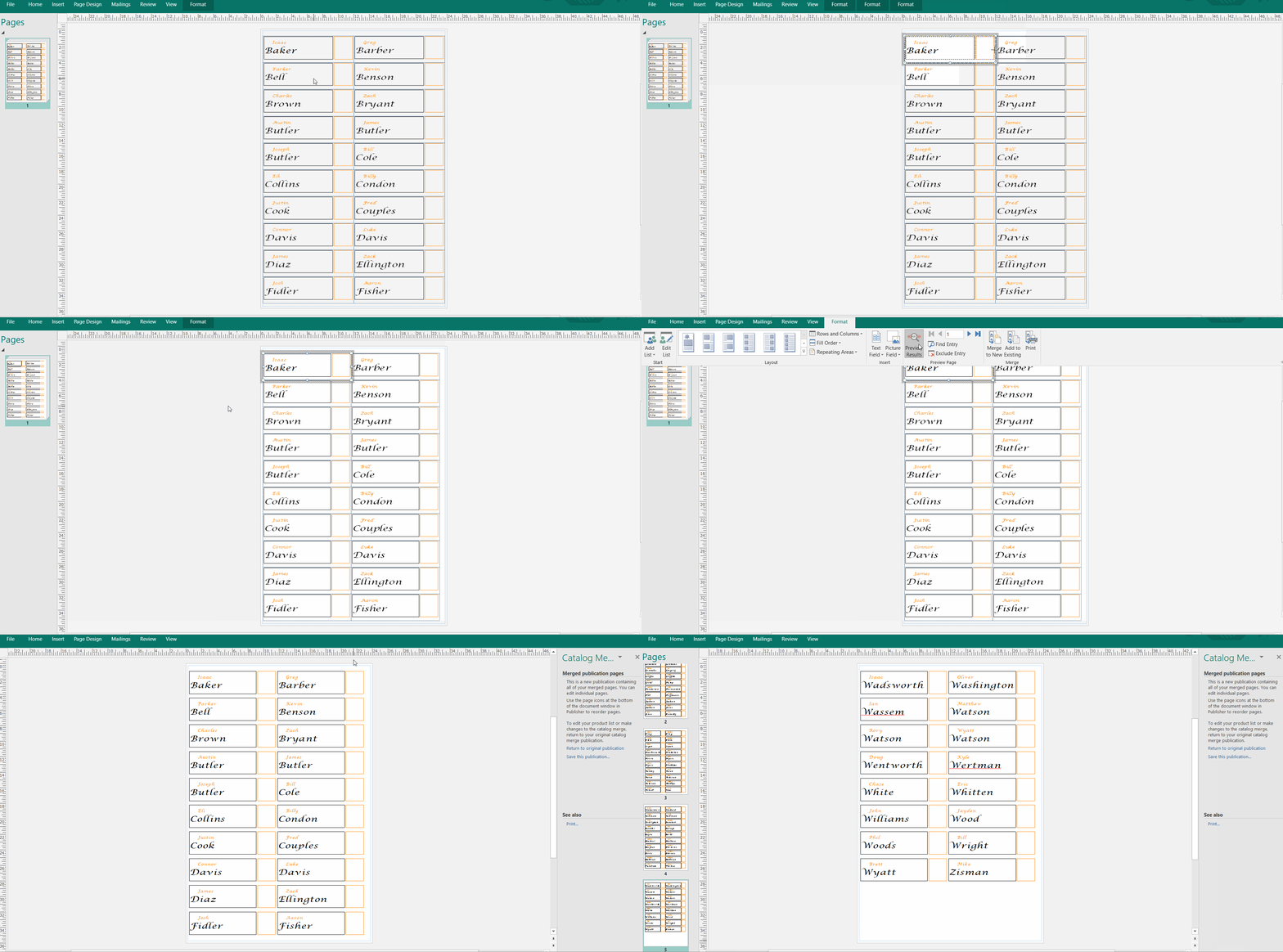
Open your Publisher template, and you will be prompted to connect to external data. Click "yes", and on the next screen, choose the option to "Try to reconnect to the data source". Navigate to the Excel spreadsheet on your computer and select it. Click "okay" on the next screen, and the template will be filled with data as shown below.

Make any necessary edits to the Publisher template (e.g., change colors, column widths, add logos). Once finished making the edits, go to the Format tab > Merge to New. This will merge all of your data into the template, and you can then print scoreboards for your tournament as shown below.


The scoreboard template will always be available in any Report Center category in which it was included. Navigate to the category to download the updated template anytime.