This feature is available for the following products

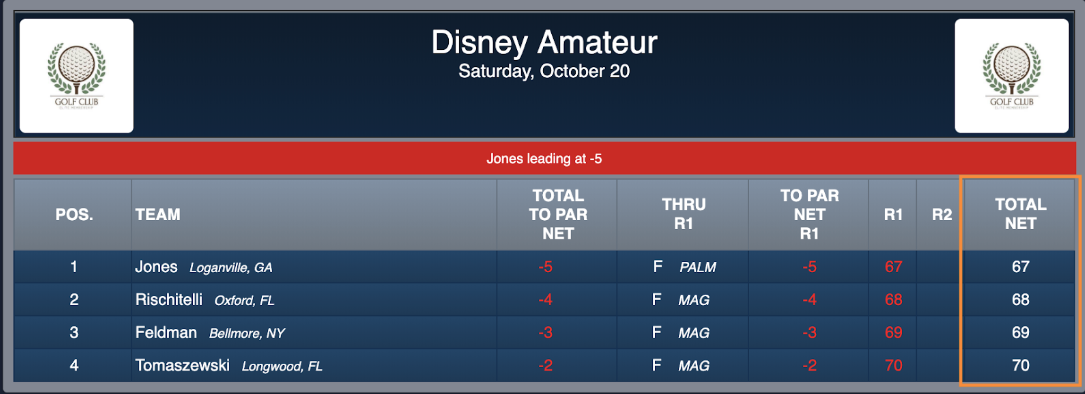
Q: How can I remove the "Total Gross" or "Total Net" column (as shown below) on the TV leaderboard?
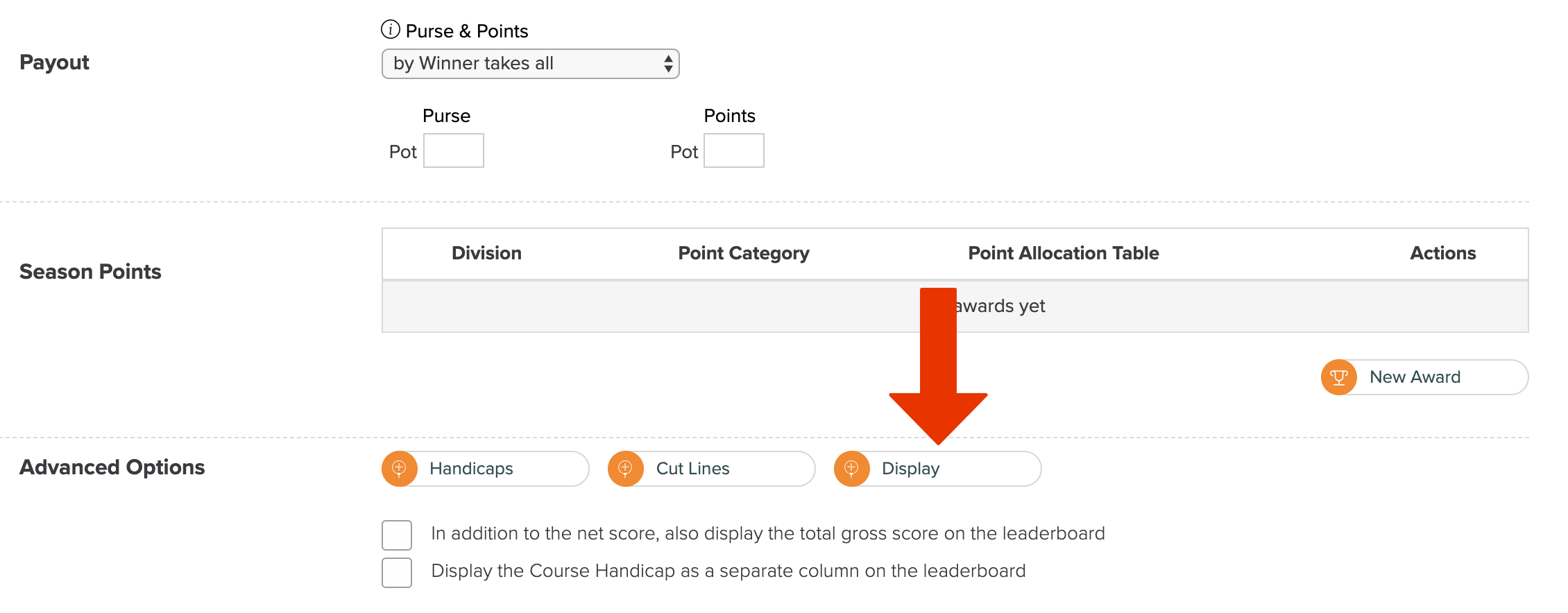
A: For multi-round tournaments only, you can hide the column by selecting the Advanced Display option (as shown below) in the tournament setup.
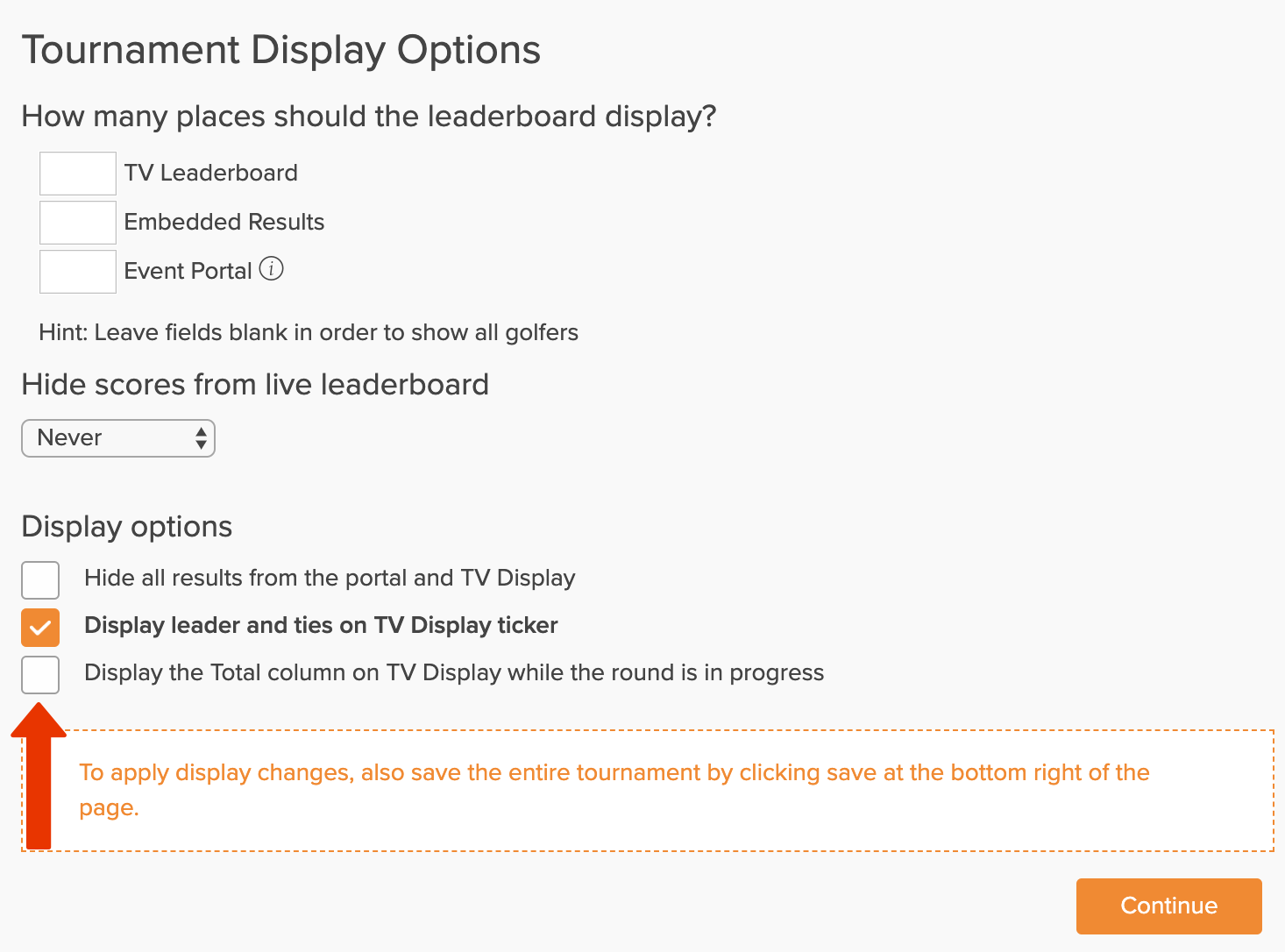
After selecting the Advanced Display option, unselect the option to display the Total column on the TV display (as shown below), and save the changes.