
Q: I am managing a league and need to change a player's status for a round. How can I do this?
A: To change player round statuses (attending, not attending, waitlisted) for a round within a league/event, follow these instructions:
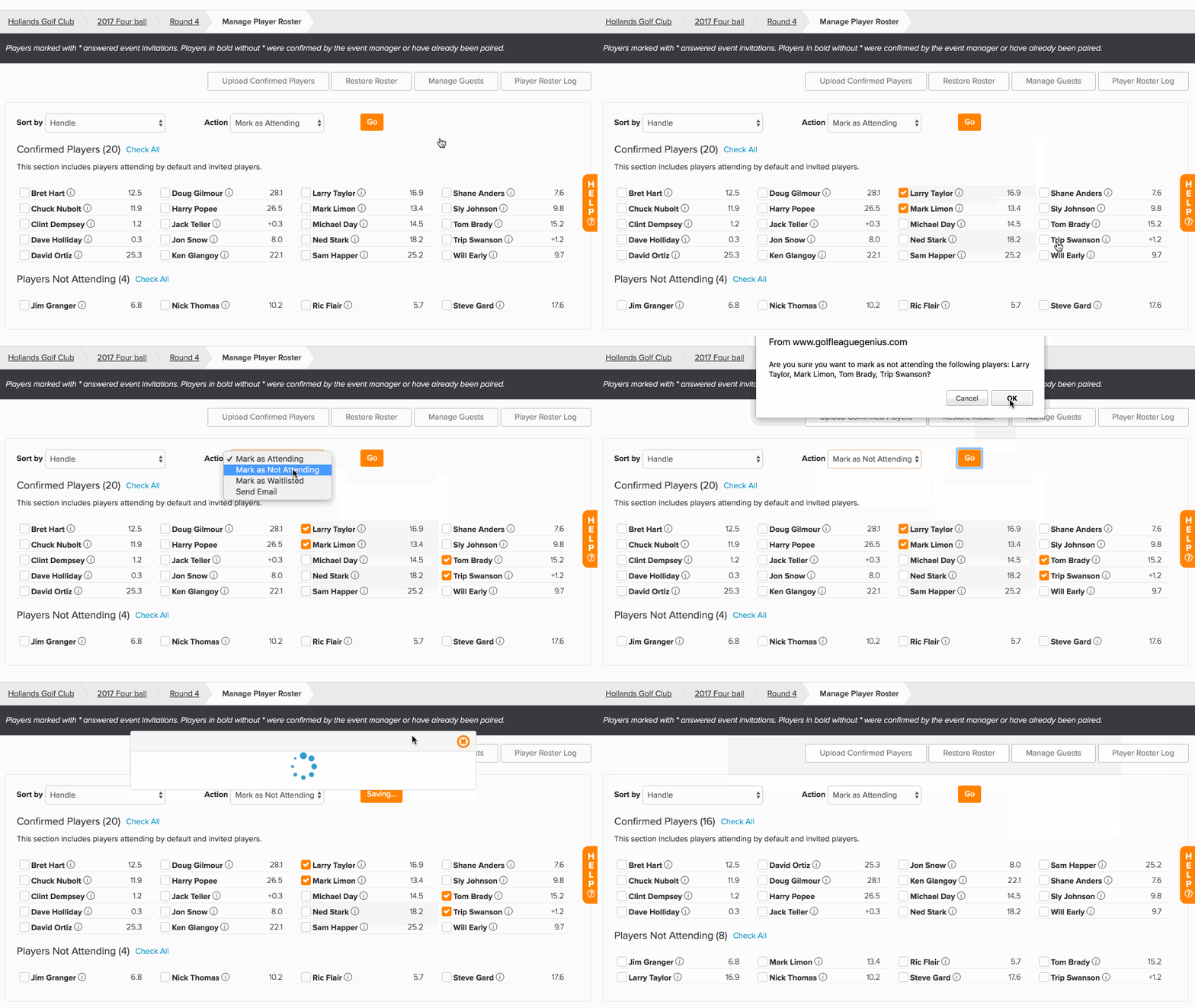
Access the roster for a specific round by going to Rounds > Round Player Roster.
Manually change player statuses by selecting the name(s) of the player(s) you need to update.
Select the status in the "Action" dropdown.
Click "Go."
For more details about managing the round roster, Click Here.