
This feature is available for the following products:

Eligibility criteria let you control who can register for or take part in different parts of TM. You can set eligibility criteria in the following places:
In this article, we will discuss the eligibility criteria you can use.
You can use one or more of the following criteria:
Note: Not all options are available in every setup.
Gender: If the Event/League is restricted to men only or women only, select whether men or women are eligible.
Golfers must have a GHIN number on file: Restricts registration to players with a GHIN number on file. Players without a GHIN number in the system can't register.
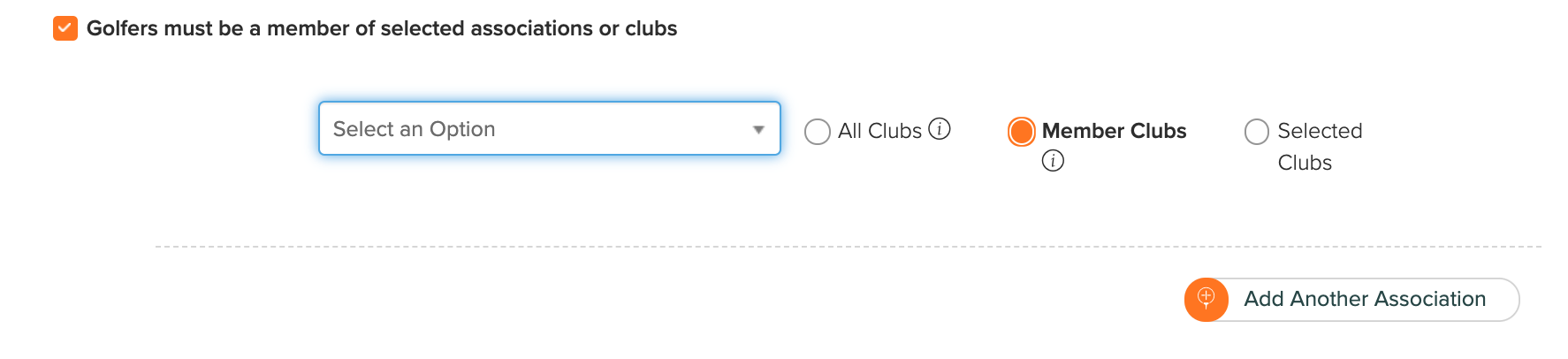
Golfer must be a member of selected associations or clubs:

This option extends eligibility beyond your association members to include members of other associations, their clubs, and their directly authorized clubs (DAC), or members of specific clubs within other associations.
To extend eligibility, check "Golfer must be a member of selected association or clubs" and choose one of the following options:
All Clubs: To extend eligibility to all members of another association, its clubs, and its DAC, select the association from the list, and select the "All Clubs" option. To extend eligibility to additional associations, click "Add Another Association" and repeat the prior steps.
Member Clubs: To extend eligibility to all members of another association (not including its directly authorized clubs), select the association from the list, and select the "Member Clubs" option.
Selected Clubs: To extend eligibility to members of specific clubs in another association, follow the same steps as above but choose the "Selected Clubs" option. After you select an association, you can select one or more clubs within that association.
Golfers must be a member of selected membership programs: Restricts registration to members of a specific membership program. Players can't register if they aren't in the selected membership program.

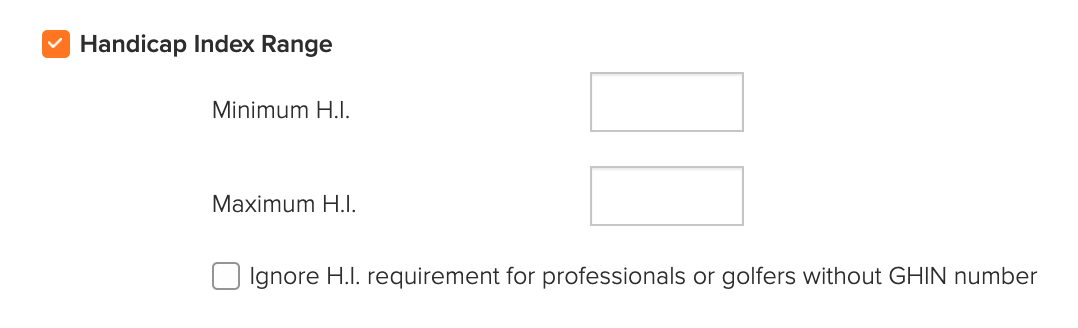
Handicap Index Range: Set a minimum and/or maximum Handicap Index.

If professionals or players without GHIN numbers are registering, you can waive this criterion for them.
A player's Handicap Index updates automatically when they log in to register, so it's current during registration.
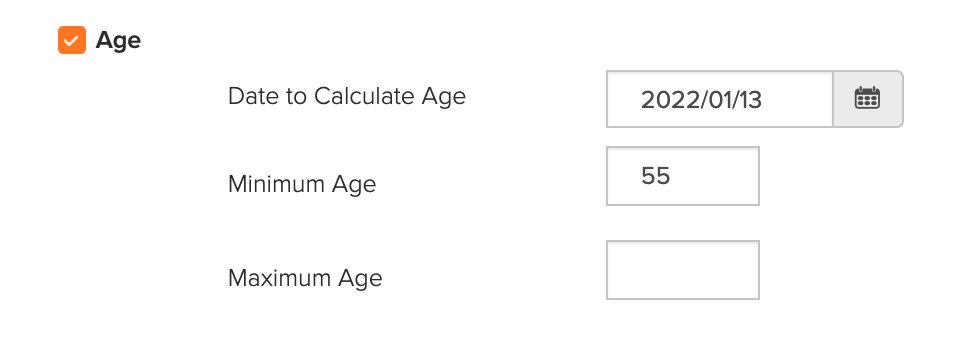
Age: If players need to be of a certain age or within a certain age range, you can set the parameters here.

Enter the date on which the age should be calculated, then enter the minimum and maximum age. If there is no minimum or maximum age, leave that field blank.
Other Custom Field: You can also set criteria using one or more custom fields from your Master Roster. For example, you may have a custom field identifying whether a player is a pro or amateur and their exemption status.

In the example above, only players listed as Pro and Exempt in the Master Roster can register.

For each custom fields, you will also be able to qualify if the field will be included/excluded:
Fields of type Country, State, Single/Multiple Line Answer, Multiple Choice, Yes/No:
Equal
Not Equal
Field of type Number, Date:
Equal
Not Equal
Greater / Greater or Equal
Less / Less or Equal
After you select the eligibility criteria, click "Save." Once registration opens, only players who meet the criteria can register.